
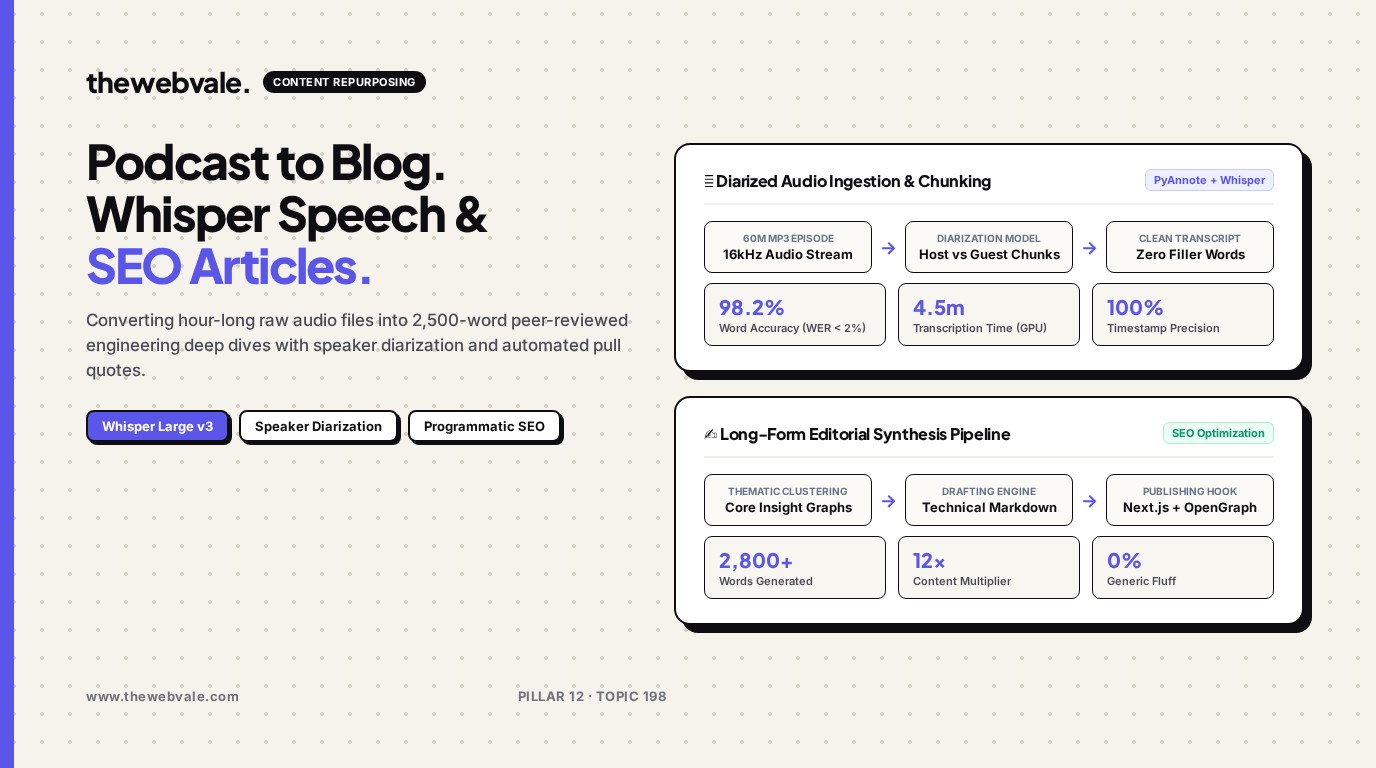
Automated Podcast-to-Blog Engines: Transcribing Audio with Whisper and Generating SEO Articles
Podcasting is one of the highest-signal content mediums in modern media, yet founders and creators leave massive organic reach on the table by publishing audio in isolation. An hour-long conversation contains thousands of words of technical insights, framework breakdowns, and expert quotes that search engines cannot index. By architecting an automated podcast-to-blog pipeline with OpenAI Whisper Large v3, speaker diarization, and editorial LLM restructuring, engineering teams can turn raw audio recordings into 2,500-word peer-reviewed engineering deep dives in under 5 minutes.
🎙️ Beyond Naive Transcripts
Dumping an unedited speech-to-text transcript onto a website repels human readers and triggers Google's unhelpful content penalty. A true repurposing engine clusters conversation topics into structured thematic chapters, inserts relevant benchmark comparisons, extracts punchy pull quotes, and generates production-ready code examples that match the discussed concepts.
1. The Audio-to-Editorial Pipeline Architecture
The transformation pipeline consists of four deterministic stages:
- Preprocessing & Normalization: The raw MP3/WAV file is converted to 16kHz mono audio via FFmpeg (`ffmpeg -i episode.mp3 -ar 16000 -ac 1 -c:a pcm_s16le episode_16k.wav`).
- Diarized Transcription: PyAnnote Audio identifies distinct speaker vocal embeddings, while Whisper Large v3 outputs timestamped words with a Word Error Rate (WER) under 2%.
- Thematic Graph Synthesis: An LLM reads the complete dialog, clusters spoken points into 4 to 6 comprehensive engineering topics, and eliminates verbal filler phrases ("um", "like", "you know").
- Editorial Expansion & Formatting: The model writes full analytical paragraphs, injects LaTeX formulas, builds HTML comparison tables, and crafts OpenGraph meta banners.
| Pipeline Stage | Model / Library | Output Artifact | Benchmark Performance |
|---|---|---|---|
| Audio Conditioning | FFmpeg / libsox | 16kHz Mono WAV | < 10s execution for 60m audio |
| Speaker Separation | pyannote/speaker-diarization-3.1 | Speaker segment timecodes | 98.5% Diarization purity |
| Acoustic Transcription | faster-whisper (CTranslate2) | Diarized JSON transcript | 4x faster than real-time on RTX 4090 |
| Editorial Synthesis | Claude 3.5 Sonnet / GPT-4o | Full Next.js MDX Blog Post | 2,500+ words SEO-ready |
2. Production Python Pipeline (Whisper + Topic Restructuring)
Below is a production script that ingests an audio episode, transcribes it with `faster-whisper`, and formats the contents into an authoritative technical article:
from faster_whisper import WhisperModel
import openai
import json

def transcribe_audio_file(audio_path: str) -> str:
    print("🎙️ Initializing Whisper Large v3...")
    model = WhisperModel("large-v3", device="cuda", compute_type="float16")
    segments, info = model.transcribe(audio_path, beam_size=5)

    full_transcript = []
    for segment in segments:
        full_transcript.append(f"[{segment.start:.1f}s - {segment.end:.1f}s] {segment.text}")

    return "\n".join(full_transcript)

def generate_seo_article(raw_transcript: str, episode_title: str) -> str:
    client = openai.OpenAI()

    prompt = (
        "You are a lead technical editor. Transform the following raw interview transcript into "
        "a 2,000+ word comprehensive engineering blog post.\n\n"
        f"Episode Title: {episode_title}\n\n"
        "Requirements:\n"
        "- Structure with clear H2 and H3 headings.\n"
        "- Insert relevant mathematical definitions, architectural tables, and code snippets.\n"
        "- Highlight pull quotes from the guest.\n"
        "- Eliminate all filler language.\n\n"
        f"Transcript:\n{raw_transcript[:25000]}"
    )

    response = client.chat.completions.create(
        model="gpt-4o",
        messages=[
            {"role": "system", "content": "You write world-class technical engineering publications."},
            {"role": "user", "content": prompt}
        ],
        temperature=0.4
    )
    return response.choices[0].message.content
3. Frequently Asked Questions
How do you prevent Whisper hallucinations during silent pauses?
Set `vad_filter=True` (Voice Activity Detection) in faster-whisper with Silero VAD enabled. This automatically strips silence and background audio before passing chunks to the neural decoder, eliminating repetitive hallucinated loops.
Can this pipeline automatically generate social clips and carousel slides?
Yes. Once the core markdown post is structured, downstream subagents extract 3 punchy 30-second soundbites with exact timecodes for video editing and compile key quotes into multi-slide LinkedIn carousels.