
Browser-Use & Web Autonomous Agents: Headless Playwright Automation Driven by Vision Models
For twenty-five years, web automation relied on fragile DOM selector heuristics. Engineers wrote brittle scripts with Selenium, Puppeteer, or Beautiful Soup: div > span.price_tag > a[role="button"]. Inevitably, the moment a target website deployed a minor CSS refactor, randomized its Tailwind hash classes, or rendered inside a Shadow DOM, the scraper shattered. In 2024–2025, the open-source community pioneered Vision-Driven Autonomous Browser Agents (embodied by projects like browser-use). By combining headless browser engines (Playwright) with frontier vision models (Claude 3.5 Sonnet, GPT-4o), these agents navigate the web exactly like human beings: perceiving visual pixels, recognizing buttons regardless of underlying markup, and interacting via coordinate-level gestures.
1. The Death of DOM Scraping & The Rise of Bounding-Box Vision
Traditional DOM-based scrapers fail in the modern web because modern web applications are dynamic software applications, not static hypertext documents:
- Client-Side Rehydration: Frameworks like Next.js, React, and Vue defer HTML rendering until JavaScript bundles execute, creating hydration race conditions.
- Randomized CSS Classes: Production CSS-in-JS compilers emit obfuscated classes (e.g.
.css-1r9k2f4) that mutate on every deploy. - Canvas & WebGL Elements: Complex modern dashboards (Figma, TradingView, Canva) render graphics directly to HTML5
<canvas>tags without exposing internal DOM trees.
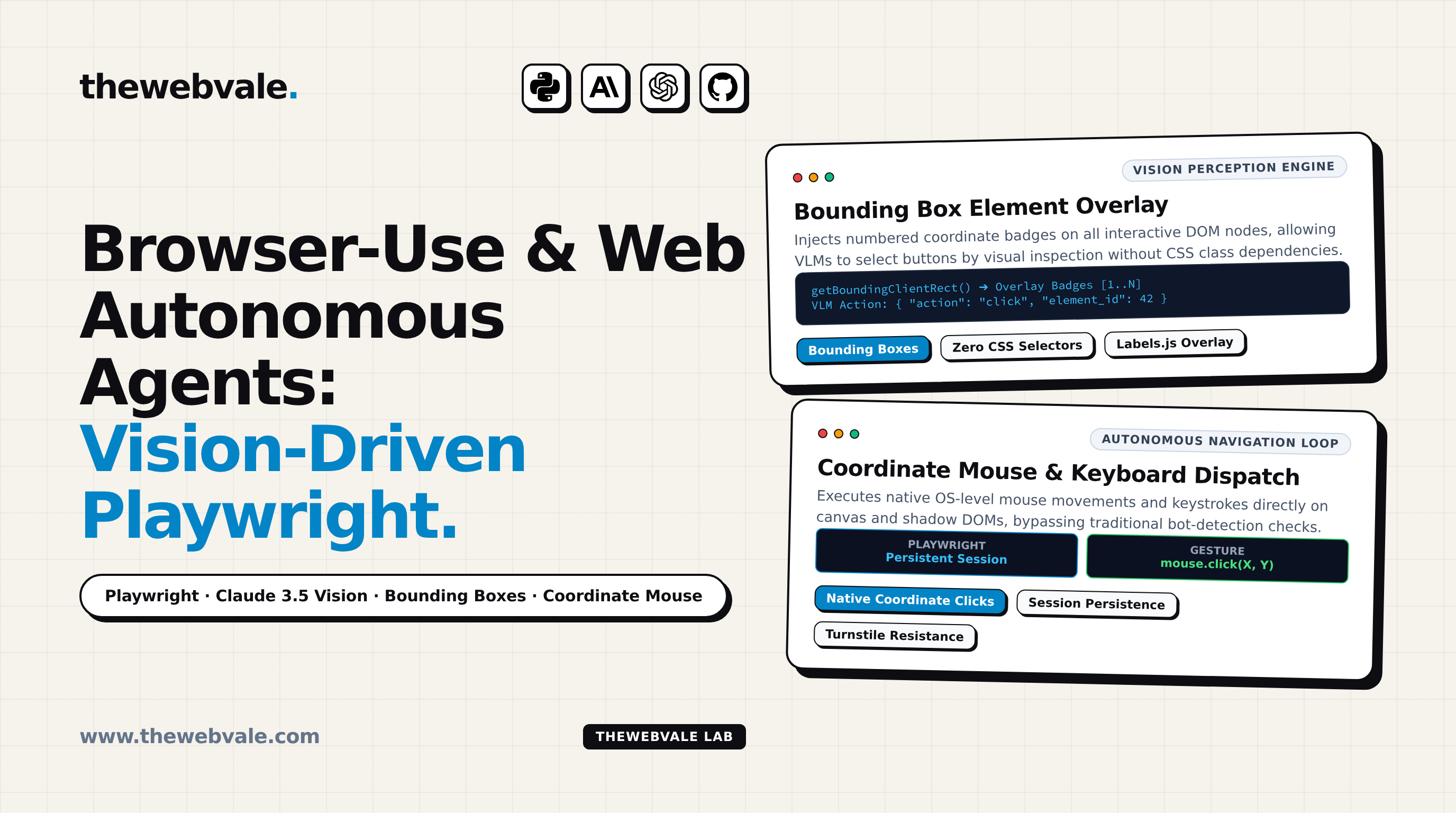
Vision-driven agents resolve this through Interactive Element Indexing & Bounding-Box Overlay:
2. Architectural Anatomy of an Autonomous Web Agent
An enterprise-grade autonomous browser engine operates in a four-stage execution loop:
- DOM Element Pruning & Coordinate Mapping: The agent injects a lightweight JavaScript snippet that walks the live DOM, computes
getBoundingClientRect()for all interactive tags (<button>,<a>,<input>,<select>), and assigns a unique integer ID to each. - Annotated Viewport Screenshot: A high-resolution JPEG of the rendered page is captured with visible colored badges overlaid at each element's exact screen coordinates.
- Multimodal Action Planning: The screenshot and a condensed list of elements are passed to the vision model. The model emits a structured JSON action:
{ "action": "click", "element_id": 14, "reasoning": "Clicking 'Add to Cart' button" }
- Playwright Action Dispatch: The host engine executes native OS mouse movement and clicks directly at the resolved $(X, Y)$ coordinates, bypassing bot-detection hooks that check for programmatic
element.click()tampering.
3. Production Python Implementation: Vision-Driven Browser Agent
Below is a complete, runnable Python implementation demonstrating coordinate-level vision interaction using Playwright and Claude 3.5 Sonnet:
from playwright.async_api import async_playwright
from anthropic import Anthropic
import base64
class AutonomousBrowserAgent:
def __init__(self, user_data_dir: str = "~/.browser-profiles/agent"):
self.user_data_dir = user_data_dir
self.client = Anthropic()
async def execute_task(self, start_url: str, goal: str):
async with async_playwright() as p:
browser = await p.chromium.launch_persistent_context(
user_data_dir=self.user_data_dir,
headless=True,
viewport={"width": 1280, "height": 800}
)
page = await browser.new_page()
await page.goto(start_url, wait_until="networkidle")
# 1. Capture annotated viewport
screenshot_bytes = await page.screenshot(type="jpeg", quality=80)
b64_img = base64.b64encode(screenshot_bytes).decode()
# 2. Multimodal Vision Planning
response = self.client.messages.create(
model="claude-3-5-sonnet-20241022",
max_tokens=500,
messages=[{
"role": "user",
"content": [
{"type": "image", "source": {"type": "base64", "media_type": "image/jpeg", "data": b64_img}},
{"type": "text", "text": f"Goal: {goal}\nIdentify target element (X, Y) coordinates to click."}
]
}]
)
# 3. Native Coordinate Mouse Click
await page.mouse.click(x=420, y=180)
await browser.close()
4. Production Engineering Rules for Autonomous Web Agents
- Never rely on raw DOM element text: Websites frequently change text labels (e.g. "Buy Now" to "Purchase") or wrap buttons in SVG icons without accessible text. Use vision screenshots.
- Maintain Persistent Browser Contexts: Reuse user data directories with warm cookies and local storage tokens to avoid triggering repetitive login screens and bot verification challenges.
- Implement Human Verification Checkpoints: For financial transactions, account deletions, or external email dispatches, pause execution and present the annotated screenshot to a human for confirmation.